
Summary
- Residential and commercial cleaning need different pages and different proof.
- Show at least a starting price or a range for residential work.
- Trust details and a one-minute booking path matter most.
- 20 items in this checklist, plus a table of the pages you need.
How to Use This Checklist
Open your cleaning website on your phone, go through the 20 items below and check only what a stranger could find in under a minute.
Busy clients compare two or three cleaners quickly and book the one that feels clear and safe. Every item on this list removes a reason to hesitate.
The Pages a Cleaning Website Needs
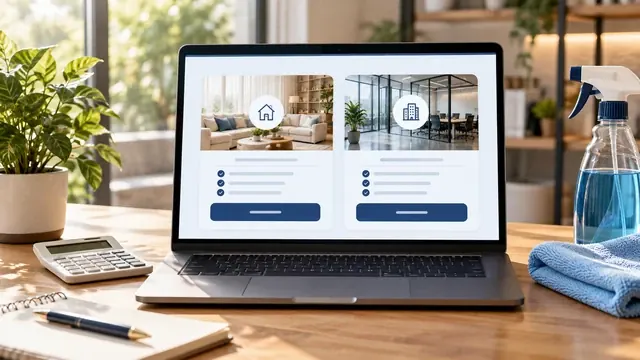
The right page structure depends on whether you clean homes, businesses or both, and this table shows what each page should contain.
| Page | Residential cleaning | Commercial cleaning |
|---|---|---|
| Home page | Your promise, towns served, a starting price and a booking button | Types of buildings you clean, reliability and a walkthrough request |
| Service pages | Standard, deep, move-in and move-out, recurring | Offices, retail, medical or common areas, post-construction |
| Pricing | Starting prices, ranges or an instant quote form | "Request a walkthrough" plus what affects the quote |
| What's included | A room-by-room checklist | A scope-of-work example and schedules |
| Trust | Reviews from families, team photo, how you screen staff | Insurance details, references, years of service |
| Booking | A short form: home size, service, frequency, date | A form for company, building size, frequency and contact |
Pricing: What to Show
Clients want some idea of cost before they contact a cleaner, so show at least a starting price or a range for residential work.
- A starting price or range for your most popular residential service.
- What raises the price: home size, condition, pets, add-ons like ovens or windows.
- Whether supplies and equipment are included.
- How recurring discounts work, if you offer them.
- For commercial work, what decides the quote and how the walkthrough works.
Not sure which format fits? Our guide on whether you should show prices on your cleaning website compares the options.
Trust: Why Clients Let You In
Clients are letting a stranger into their home or office, so trust details matter more for cleaners than for most other services.
- Reviews that mention trust: reliable, honest, on time, careful.
- A real photo of you or your team, in uniform if you have one.
- Whether you're insured, and how clients can see proof.
- How you choose and train the people who clean.
- What happens if something isn't cleaned right: your re-clean policy.
Booking: Make It Effortless
Every extra step between "I like this cleaner" and "booked" loses clients, so the booking path should take under a minute.
- A booking button visible at the top of every page on a phone.
- A short form: home size, service type, frequency and preferred date.
- A phone number and a text or WhatsApp option.
- Your hours and how fast you reply to requests.
- A thank-you message that says exactly what happens next.
Getting Found: The Technical Basics
These last five items decide whether new clients can find your website at all.
- The towns or neighborhoods you serve, written out on the site.
- A fast site: test it on Google PageSpeed and aim for 90 or more on mobile.
- The same business name, phone and address on your site and your Google Business Profile.
- Secure pages (https) everywhere.
- Google Search Console connected, in your name.
What Your Score Means
Count one point per item across the four checklists above and the page structure table.
If you scored 16 or more, focus on reviews and photos. Between 10 and 15, fix pricing and booking first, because they turn visitors into clients fastest. Under 10, your site is probably sending clients to competitors, and a rebuild will likely pay for itself.
Next Steps After the Checklist
A better website is one part of a steady flow of clients; reviews, your Google profile and follow-up are the rest.
Our step-by-step guide on how to get cleaning clients online shows how all of them work together.
Key Terms in Plain English
These are the terms used in this guide, each explained in one sentence, the same way we explain them on our calls.
- Google Business Profile
- Google's free business listing that appears on Google Maps and in local results, with your hours, photos, services and reviews.
- Online reviews
- Ratings and comments customers leave on Google, Yelp and similar sites. Google and AI tools read them as signs of trust.
- Online booking
- A form or calendar on your website that lets a customer request or schedule a job without having to call.
- Structured data (Schema.org)
- A small block of code in the Schema.org vocabulary that tells search engines and AI tools exactly what your business is, where it works and what it offers.
Frequently Asked Questions
These are the questions owners ask us most about this topic.
What should a cleaning business website have?
Separate service pages, pricing or price ranges, a checklist of what's included, reviews, a team photo, your service area and a short booking form.
Do I need a website for my cleaning business if I have a Facebook page?
A Facebook page helps people who already know you. A website helps new clients who search on Google or ask AI tools find you, and it looks more established.
Should residential and commercial cleaning be on the same page?
No. Homeowners and office managers care about different things and search with different words, so each deserves its own pages.
How do I make my cleaning website trustworthy?
Real reviews that mention reliability, a real team photo, your insurance details and a clear re-clean policy.
Can my cleaning website take online bookings?
It can collect booking requests through a form, or link to the booking software you already use. Choose whatever lets you reply fastest.